
Crop'n'Frame3.0 - App Store
You'll be able to see results in few seconds.
Publisher Description
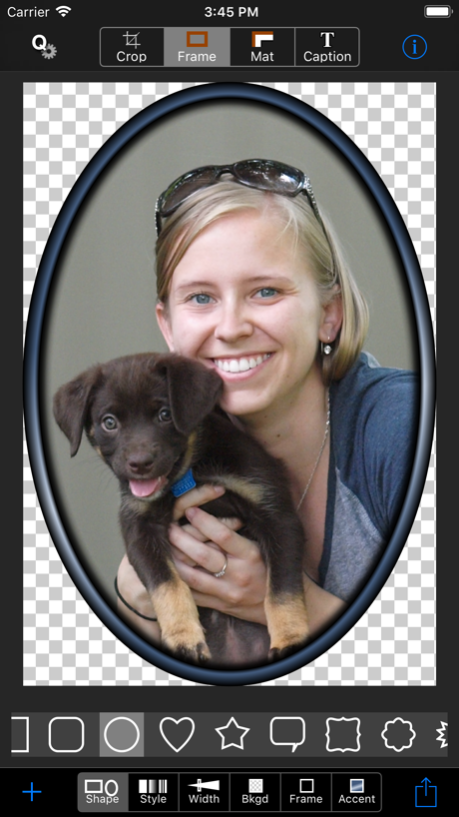
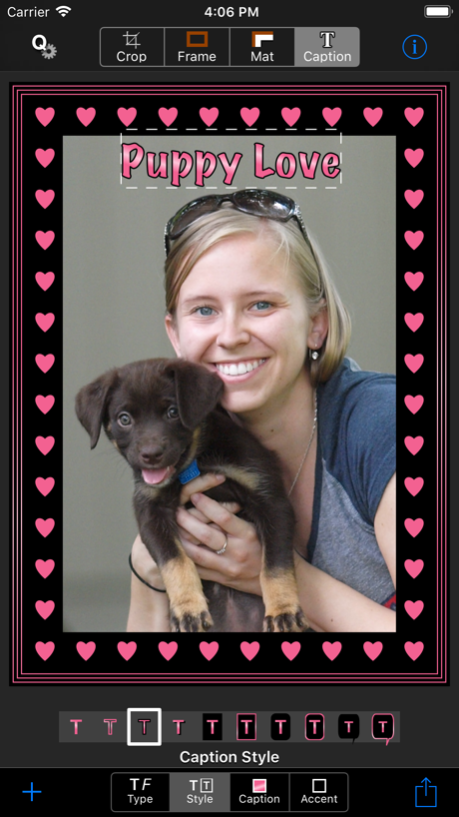

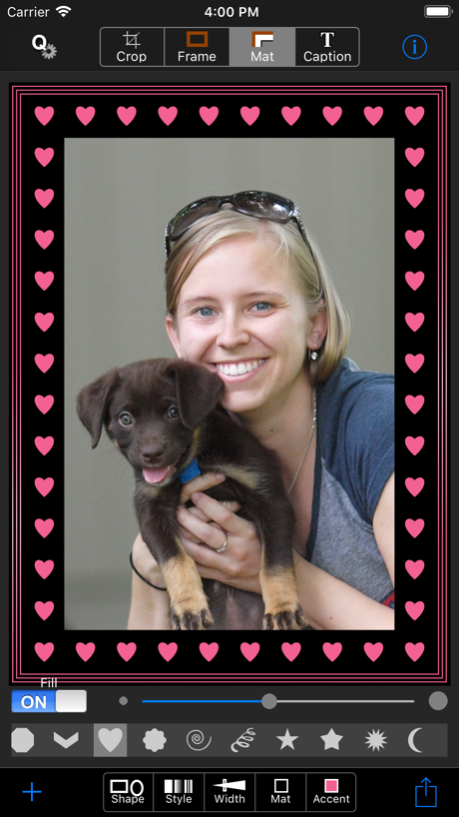
Design your own frame, mat and caption with a palette optimized for every photo.
Chosen "Best iPhoneography Utility App" and one of the "Top 15 Processing Apps".
Unlike many other framing apps, with Crop’n’Frame YOU design the frame and mat and it's fun and easy to do. Choose shapes, styles, textures, and pick colors from a palette that is customized for every photo.
Your photos, selfies and memes will stand out from the rest. Zoom into the best part of the photo and add a professional finish with color coordinated and metallic frames, mats and captions. Save or share via AirDrop, Facebook, Instagram, Mail, Messages, Twitter and more.
Crop'n'Frame is also a great tool to use at a frame shop! It can help you visualize how your prints and other artwork will look with different sizes and colors of frames and mats.
• Crop with or without a frame preview, optionally constraining to common aspect ratios (including square).
• Mix and match frame and mat shapes (rectangle, oval, heart, star and more), widths, and styles, including vignettes, textures and patterns.
• Add a caption, choosing from many fonts and styles, including outlined type and speech balloons.
• Use QuickSets to save and load your favorite looks or for a quick start with built-in layouts.
• Choose colors for background (can be transparent), frame, mat, caption and accents from a custom color palette that is based on colors in the photo. Make any color metallic, and mix your own colors using hue/saturation/brightness sliders.
• Save and share images at low, medium, high, or custom resolutions. Frames are generated from vector art so they always look crisp and clear.
• Save multiple times with different effects, never modifying the original image.
• Combine effects by reloading framed images.
One of the "Top 15 Processing Apps" selected by iPhoneographer Teri Lou Dantzler. Chosen "Best iPhoneography Utility App" by Karen Messick in the iPhone Life Buyer's Guide. Outdoor Photographer magazine says, "Crop'n'Frame is like a tiny framer living in your iPhone."
Download it today and see why users review it as "Hidden treasure", "a hidden jewel", "Great technology made simple!", and "One of the Best Apps out there!".
Aug 29, 2018
Version 3.0
This app has been updated by Apple to display the Apple Watch app icon.
Updated user interface for iOS 11, iPhone X support
Transparent backgrounds
New shapes
New mat options
Improved vignettes
Additional sharing and social media options
About Crop'n'Frame
The company that develops Crop'n'Frame is FreshAir Software, Inc.. The latest version released by its developer is 3.0.
To install Crop'n'Frame on your iOS device, just click the green Continue To App button above to start the installation process. The app is listed on our website since 2018-08-29 and was downloaded 0 times. We have already checked if the download link is safe, however for your own protection we recommend that you scan the downloaded app with your antivirus. Your antivirus may detect the Crop'n'Frame as malware if the download link is broken.
How to install Crop'n'Frame on your iOS device:
- Click on the Continue To App button on our website. This will redirect you to the App Store.
- Once the Crop'n'Frame is shown in the iTunes listing of your iOS device, you can start its download and installation. Tap on the GET button to the right of the app to start downloading it.
- If you are not logged-in the iOS appstore app, you'll be prompted for your your Apple ID and/or password.
- After Crop'n'Frame is downloaded, you'll see an INSTALL button to the right. Tap on it to start the actual installation of the iOS app.
- Once installation is finished you can tap on the OPEN button to start it. Its icon will also be added to your device home screen.
Program Details
System requirements
Download information
Pricing
Version History
version 3.0
posted on 2018-08-29
Aug 29, 2018
Version 3.0
This app has been updated by Apple to display the Apple Watch app icon.
Updated user interface for iOS 11, iPhone X support
Transparent backgrounds
New shapes
New mat options
Improved vignettes
Additional sharing and social media options
version 2.3
posted on 2009-05-22
Disclaimer
Official App Store Link
We do not host Crop'n'Frame on our servers. We did not scan it for viruses, adware, spyware or other type of malware. This app is hosted by Apple and passed their terms and conditions to be listed there. We recommend caution when installing it.
The App Store link for Crop'n'Frame is provided to you by apps112.com without any warranties, representations or guarantees of any kind, so access it at your own risk.
If you have questions regarding this particular app contact the publisher directly. For questions about the functionalities of apps112.com contact us.
